A stage made for two
An Orange-Booth Duo Video brings two performers and a hanging mic into a warm, simple setting. Your duo takes center stage.
Two faces. One stage.
Make a Migos AI Trend Video with two photos, the orange stage, and a topic your favorite person will recognize.
Your photos. Your inside joke. Your Orange-Booth Duo Video.
A Migos AI Trend Video turns two familiar faces into a playful duet, with your photos and personalities leading the performance.
An Orange-Booth Duo Video brings two performers and a hanging mic into a warm, simple setting. Your duo takes center stage.
The Migos AI Video Generator adds motion and sound to your references. Start with separate photos, wherever your co-star lives.
Give Migos AI a name, occasion, or memory. A small personal detail makes the idea feel familiar to your friends.
Build your Migos AI Trend Video around two faces and one idea.
Upload each performer, choose Hotel Lobby (orange), and add a personal detail. Migos AI brings your idea to the stage.
Choose your format, quality, and duration in the Migos AI Video Generator. Check the displayed credit cost, then start creating your performance.
Watch your Orange-Booth Duo Video and download the MP4. Send your favorite take to the group chat or post it.
Keep the focus on your duo, with practical controls for sound, format, and quality.
Draft at a lower resolution, then choose supported 1080p output for a sharper Migos AI Trend Video.
The Migos AI Video Generator uses Seedance native audio to create your performance and soundtrack together.
Create your Orange-Booth Duo Video in vertical, square, or landscape format to suit where you share it.
Migos AI displays costs before generation and refunds reserved credits if the provider fails to render your video.
Compare finished takes in your account library. Revisit an earlier idea and download the version you want to share.
A birthday or running joke makes your Migos AI Trend Video something your friends will want to watch.
Give the Migos AI Video Generator clear photos and a focused idea before you take the mic.
Choose bright, sharp photos with one subject each. Keep faces visible, without heavy filters or sunglasses, for your Orange-Booth Duo Video.
Give your Migos AI Trend Video a simple premise: siblings debating the family playlist or friends celebrating a shared milestone.
Check faces, movement, and audio in your Orange-Booth Duo Video before sharing. If something looks off, simplify the description and retry.
Plan your Orange-Booth Duo Video with the available lengths, formats, and resolutions below.
| Model / quality | 480p | 720p | 1080p |
|---|---|---|---|
| Standard | 75 | 145 | 360 |
| Fast | 120 | 240 | 600 |
| Pro | 145 | 290 | 720 |
| Ultra | 220 | 435 | 1080 |
Purchase credits to generate videos. Higher quality and longer clips use more credits.
A little direction. Your own duo.
Two photos. One stage. See what each template can make, then try it with your own duo.


2 photos → 1 rapLuxury Lobby
Two people
Sample · 12sA back-and-forth verse with your favorite co-star.


2 photos → 1 rapOrange booth
Two pets
Sample · 12sBig stage energy for your little companions.

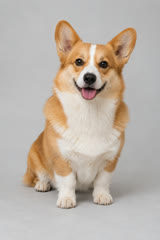
2 photos → 1 rapStreet Cypher
Person + pet
Sample · 12sYou take the verse. Your pet steals the show.

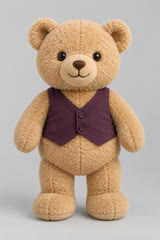
2 photos → 1 rapStudio Booth
Toys & characters
Sample · 12sA playful duet for two imaginary headliners.
Buy credits once and create at your own pace. Subscriptions are optional.
Pick a one-time pack for your next Migos AI Trend Video. Subscriptions are optional; quality and duration determine how many credits each render uses.
One Standard rap video, no subscription
Credits never expire
For occasional projects
Credits never expire
For regular creator work
Credits never expire
Photo choices, creative direction, downloads, and costs before you take the mic.
Make a short rap duet from photos, a chosen stage, and an optional topic. Create greetings, friendly roasts, or social posts.
Two performers share a simple stage, taking turns in the spotlight. Your photos and topic give this familiar format a personal twist.
Select Rap video, upload your photos, and choose Hotel Lobby (orange). Add a personal topic or leave the description empty.
Choose sharp photos with even lighting and clear faces. Similar camera angles help; avoid heavy filters, busy backgrounds, and extreme crops.
Yes. Select One photo of both and upload a shot with both subjects clearly visible. Separate photos work for long-distance duos, too.
Yes. Try two pets or pair yourself with one. Clear faces and visible markings give Migos AI stronger references to work with.
No timeline editing is needed. Choose photos and settings in your browser, then guide the Migos AI performance with an everyday description.
Give Migos AI a name and one shared memory. Leave the field empty for a general hype song based on your references.
Yes. Rap models support native audio generated with the scene. Listen before downloading, as words, delivery, and timing vary between renders.
Yes. Select duration, resolution, and aspect ratio in the studio. Vertical suits phone screens; landscape offers a wider view of your duo.
Mention a shared habit, memorable trip, or celebration. One specific idea gives Migos AI a clearer direction than a long list.
A Standard 720p, 12-second rap video uses 145 credits. Check your selected settings for the current cost; one-time packs and subscriptions are available.
Failed or rejected provider renders automatically refund reserved credits. Check your dashboard for credit activity and adjust your idea before retrying.
Download the finished MP4 and upload it to your social app, or send it privately. Check framing and sound before posting.
Yes. Choose another available stage for a different setting. Your description stays in place, letting you explore without rewriting the idea.
Bring two photos and a shared story. Open the Migos AI Video Generator, choose your stage, and give your duo the spotlight.
Make our rap video